Media Hub: Installation
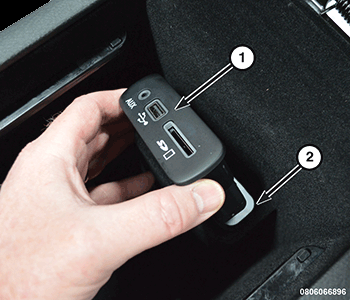
- From inside the floor console rear storage bin, align and insert the media hub housing (1) through the floor console storage bin opening (2) until the integral latch features are fully engaged on the back of the storage bin.
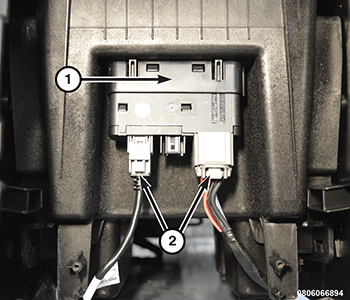
- From the underside of the floor console, connect the console wire harness connectors (2) to the media hub (1).
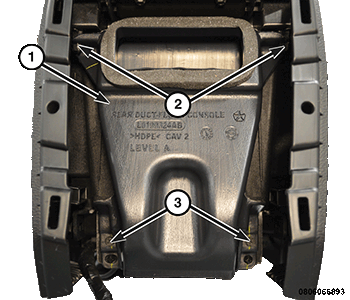
- Position the floor console rear duct to the two locating pins (2). Install the two screws (3) for the floor console rear duct (1) and securely tighten the screws.
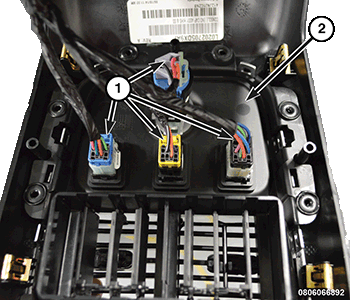
- Connect the four wire harness connectors (1) to the switch/power outlet panel (2).
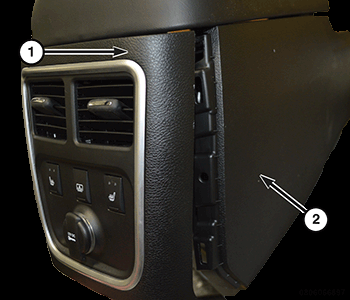
- Position the console end cap (1) and push the retainers into the floor console (2).
- Connect the negative battery cable. If equipped with an Intelligent Battery Sensor (IBS), connect the IBS connector.